The Client Plan deck
- PowerPoint
- Google Slides
- Canva
- 6 slides
A kit for freelance videographers
Five steps that take you from “what should we make?” to a plan your client can say yes to, with everything you need to run the call and present the plan.
$29 USD · one-time download
Not software, not a course, not a subscription, and not coaching. A kit you download once and keep.
01Exactly what's inside
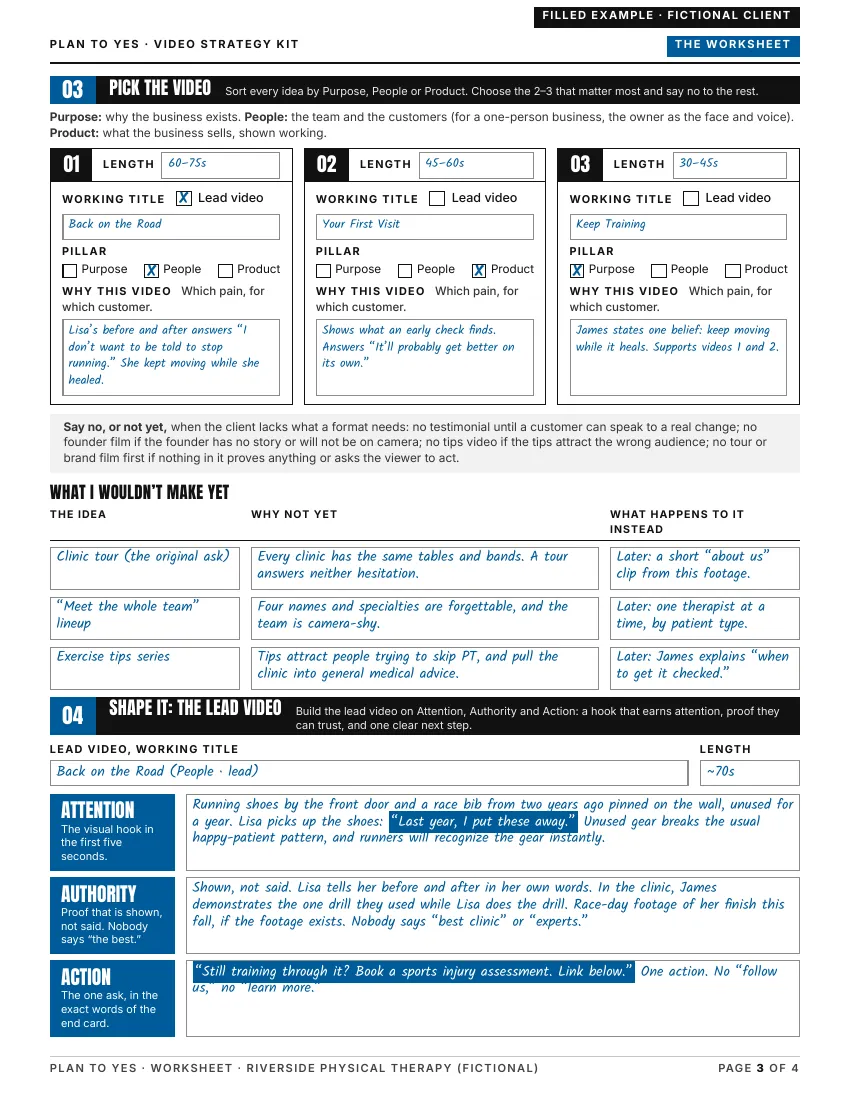
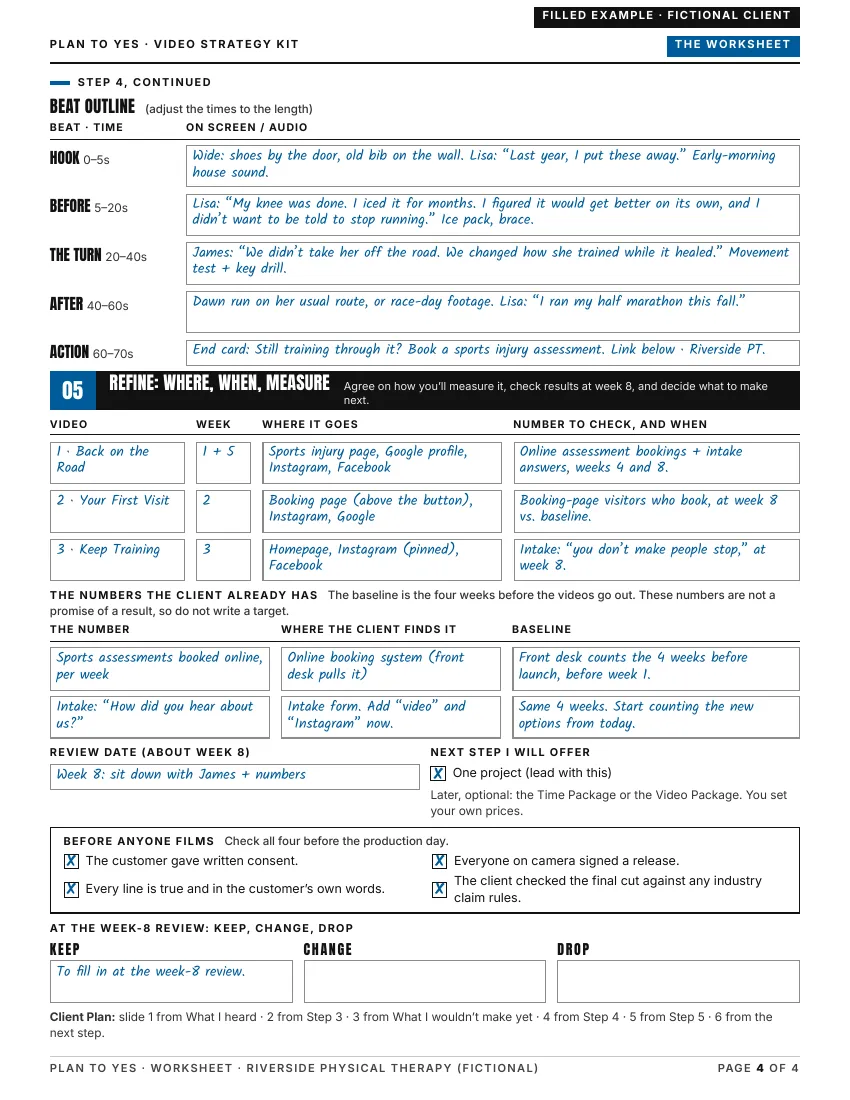
Tap the deck or the Worksheet to see every page, filled in for the fictional clinic.
Tap a job to enlarge its first page.
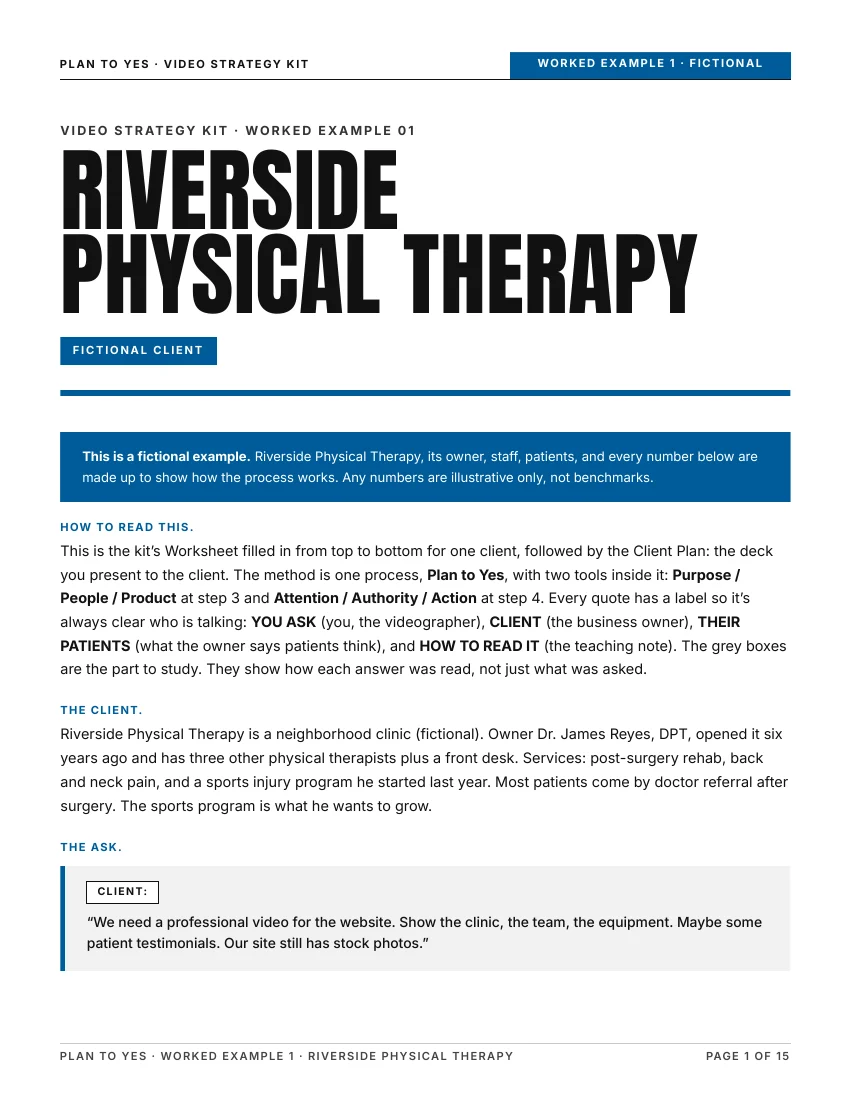
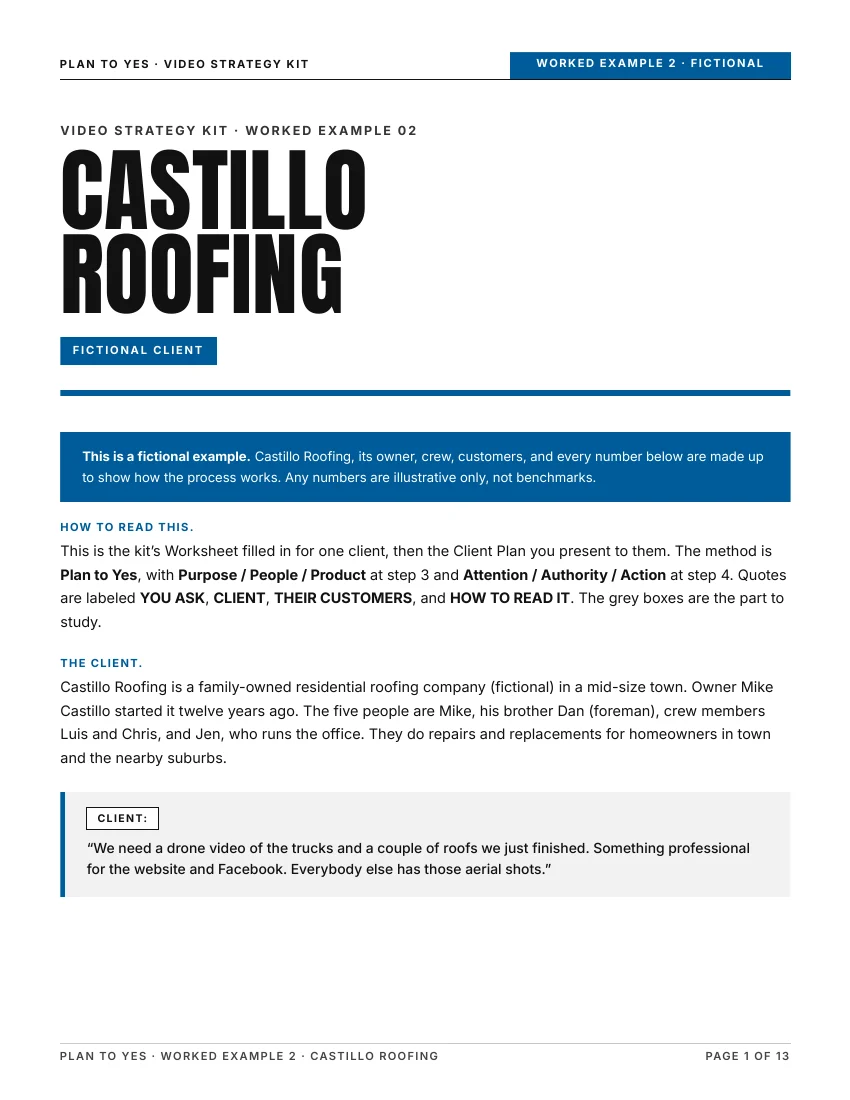
Also in the ZIP
Slide 4 · The lead video
In the kit
Slide 5 · Where the videos go and how we'll know they worked
In the kit
Slide 6 · Next step: here's how we could start
In the kit
02Think like a partner
Every video in your plan ties back to something the client actually wants, like more bookings, better customers or fewer missed appointments. That shows the client you're thinking about their business, not only the next shoot.
Clients can ask ChatGPT for video ideas in ten seconds. A chatbot can't run the call, hear what holds their customers back and decide which 2–3 videos matter most. You can, and that plan is what you bring.
03What it isn't, and who it's for
You can shoot and edit. Then a business client asks, “So what should we make?” This kit is for that moment.
Freelance videographers and small crews working with business clients.
It won't find you clients or set your rates, and it promises no income. It gives you a process and a plan you can explain.
04How it works
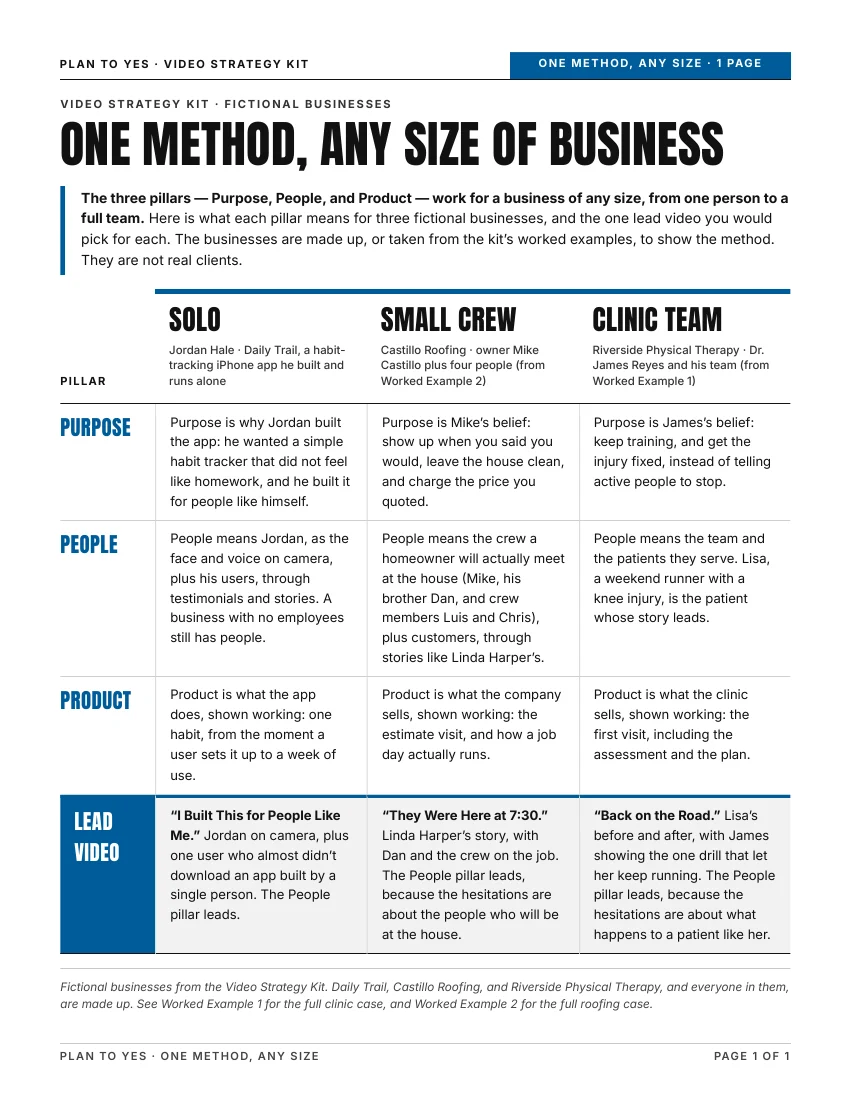
If the business is just one person: People means the owner as the face and voice, plus customers through testimonials and stories.
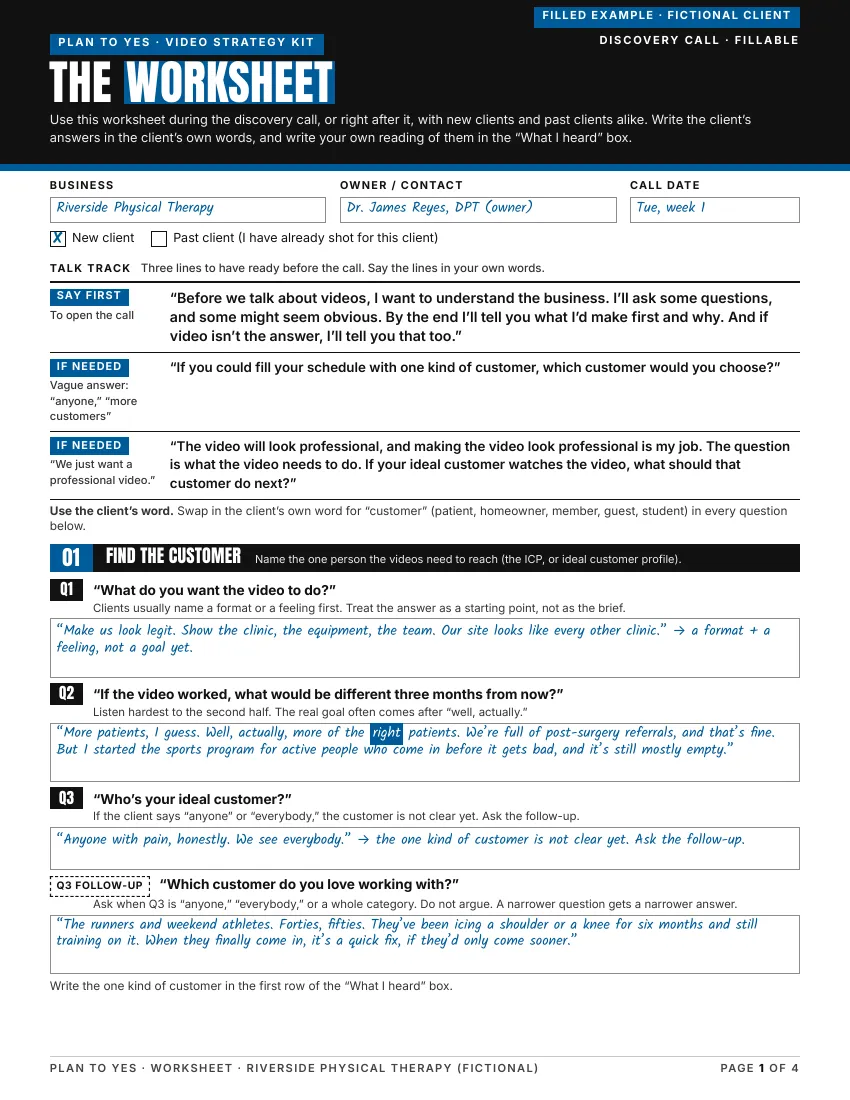
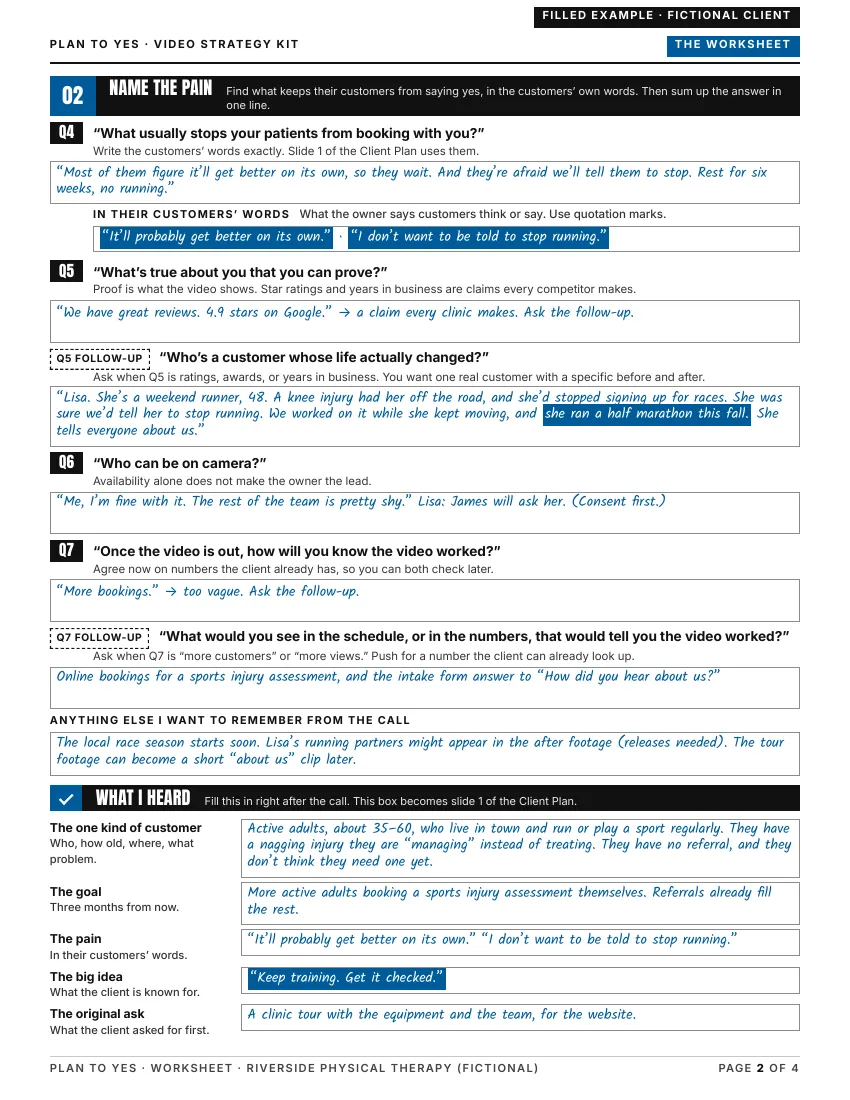
The Worksheet walks you through all five steps on four pages, and the answers carry into the Client Plan you present.
05What using it looks like
Riverside Physical Therapy and Dr. James Reyes are fictional.
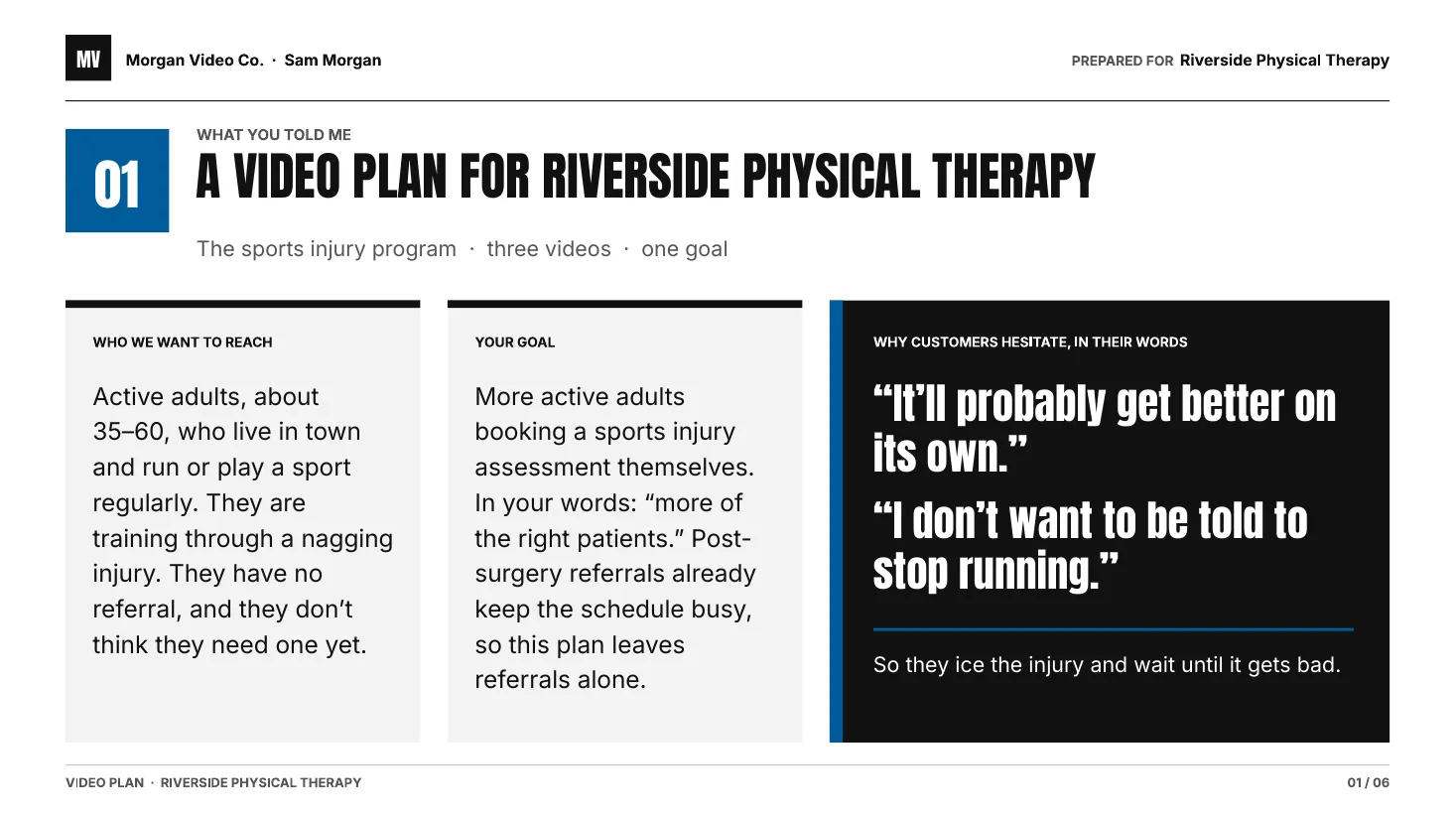
“We need a professional video for the website. Show the clinic, the team, the equipment. Maybe some patient testimonials.”
“So… what do you think we should make?”
“Who's your ideal customer, and what usually stops them from booking with you?”
What stops their patientsas the owner tells you
“It'll probably get better on its own.”
So they ice it, rest it and wait.
“I don't want to be told to stop running.”
They expect to hear “rest six weeks, no running.”
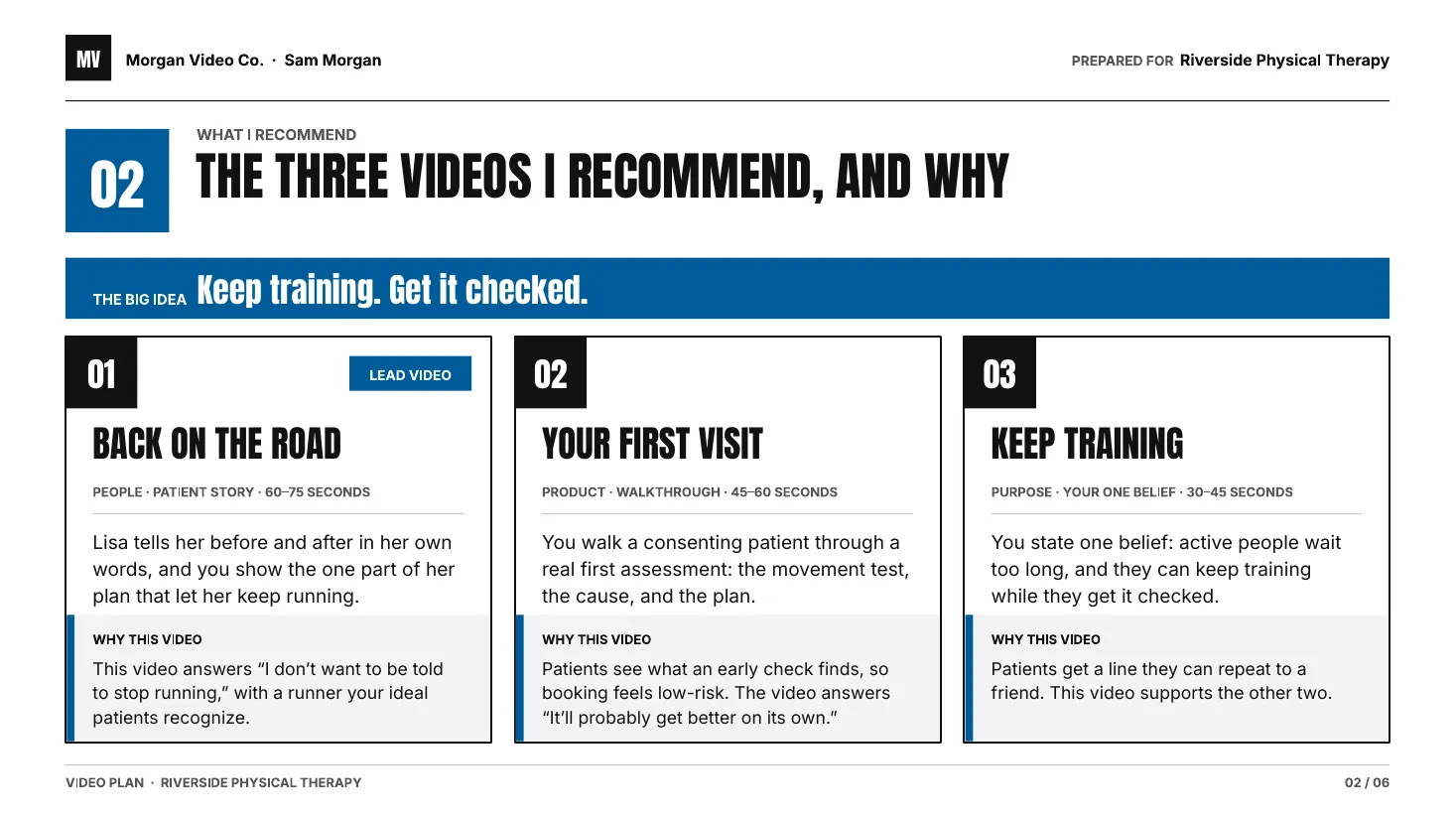
Each fear is a video idea. Answer “it'll get better on its own” by showing what an early check finds. Answer “I don't want to be told to stop running” with a patient who kept running while she got better.
The 3 videos you recommend
Back on the Road Lead video
A patient who kept running while she got better.
Answers “I don't want to be told to stop running.”
Your First Visit
Shows what a first check finds.
Answers “It'll probably get better on its own.”
Keep Training
The owner explains why active people can keep training while they get checked.
Backs up the other two.
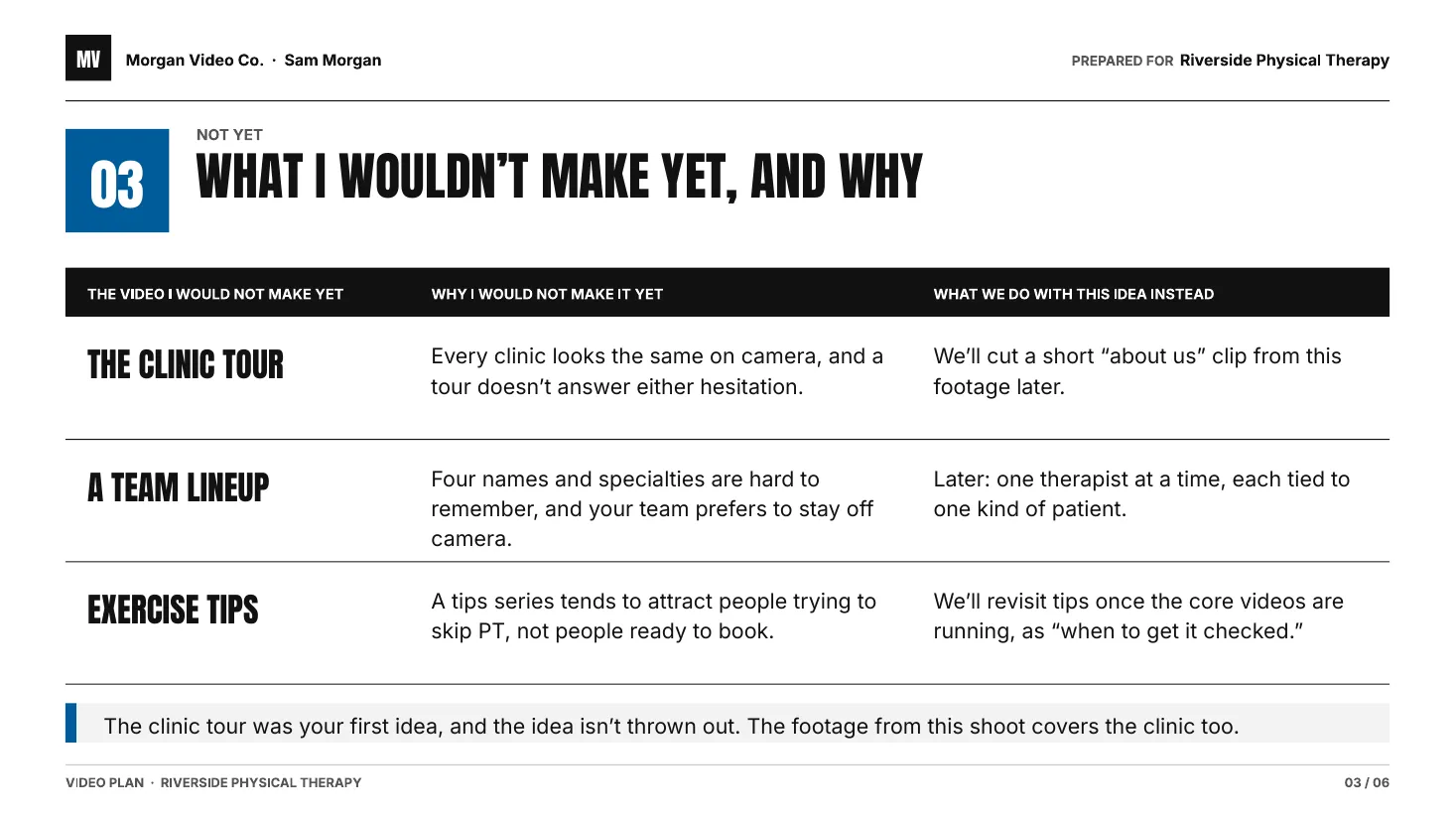
Not yet: clinic tour, team lineup and exercise tips. They don't answer either fear.
Start here
One project
Offer the three videos as one project, then look at the bookings together after 8 weeks.
If you want to keep going
Offer a monthly retainer in one of two shapes:
The Time Package: a set number of your hours each month.
The Video Package: a set number of finished videos each month.
Base it on what the first project shows. You set the price. Starting with one project and deciding later is fine.
Whether the client says yes is still up to the client.
06Who made it

Peter Fowler Founder, Raven Media
Peter Fowler is a filmmaker and video strategist. He runs Raven Media, a video production company in Honolulu, Hawaii, where he has led hundreds of productions. These days, much of his work happens before the shoot: he helps businesses figure out which videos they actually need, and why.Plan to Yes is that process.
07Price, and what happens next
The five steps, the 4-page Worksheet, the 6-slide Client Plan deck and the Worked Examples. Everything you need for your next client call.
$29
USD, one time. Download it once and keep it.
No upsell, no subscription.
Tax is calculated at checkout where it applies.
Single-user license. 14-day refund, no reason needed.
By buying, you agree to the Terms, License, Refund Policy and Privacy Policy.
The Worksheet is a fillable PDF, so it needs no account. The Client Plan is an editable deck: one PowerPoint file that opens in PowerPoint, Keynote and Google Slides, plus a Canva template link.
08FAQ
ChatGPT can give you a list of video ideas. It can't run the client call for you, tell you which ideas to turn down, or help you explain your plan to the client. The kit does that. It also includes a ready-made AI prompt for more ideas once you have the client's answers.
No. The templates come with the method behind them: what to ask, how to read the client's answers, and how to turn those answers into 2–3 videos. Two worked examples show every step filled in.
Yes, if your client is a business that needs customers. The questions are about their goal, their customers and what holds those customers back, not about their industry. That's why it works the same for a clinic, a roofer, an online store or a one-person app. The kit shows it twice from start to finish, with a physical therapy clinic and a five-person roofing company, plus a one-page sheet for solo businesses, small crews and bigger teams.
No. The last slide of the Client Plan has blanks where you put your own prices and packages. What you charge is up to you.
No, and no kit can promise that. It helps once you have a client or a call booked, so you go in with a plan instead of guessing.
No. It assumes you can already shoot and edit. It's about deciding which videos to make, not how to film them.
Yes. Go back to a client you've already made videos for, run the same call, and bring them a plan for what to make next. You already know the business, so the call is often easier.
Yes. You can add your name and logo to the Client Plan you make for a client, and give the finished plan to that client as a PDF. The license is for one person, so a second person on your team needs their own copy.
You get a download page as soon as you pay, and we also email you the link. It is one ZIP file with 10 files in it. The link works for at least 12 months and for up to 20 downloads, and it is personal to you. The Worksheet is a fillable PDF and needs no account. The Client Plan is one PowerPoint file that opens in PowerPoint, Keynote and Google Slides, plus a Canva template link. Canva and Google Slides need your own account. The terms have the details.
No. It is a one-time $29 USD download. There is no subscription, no login, and no video course. It is a planning method with templates.
Ask for a full refund within 14 days. You don't need to give a reason, and it applies even if you've already downloaded the files.
Next time a client asks “what should we make?” you'll have an answer.